
How to Register
Continuing student registration will open on May 15 for Summer 2026 and the 2026-27 school year.
1. Log-in to UR Student
You will need to use your username and password to log-in, and, if you are off campus, you will need to have set up Duo Authentication.
- Click here to set up your account if logging in for the first time
- Click here for help resetting passwords or looking up existing usernames. Please note that account passwords expire after six months of inactivity. If you need to reset your password, please contact the University IT Help Desk: (585) 275-2000, Option 2
- If you already have your username and need help with two-factor Duo Authentication, click here.
2. Complete Annual Onboarding Tasks
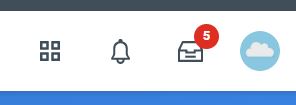
Click the red number in your mailbox, located in the upper righthand corner of most screens.
Once you review each of the five brief tasks and click the blue “submit” button under each step, your account will be ready for registration. (Tasks include verifying contact information, signing a payment agreement, etc.)
*Note: If you skip this step, you will not be able to complete registration.
3. Find Course Section and Register
- Hover over “UR Student” in the left-hand menu and then click “Academics”
- Click “Find Course Sections URSTU N1201”
- Type the desired Academic Period (“Fall 2026 ECMS” or “Summer 2026 ECMS”) and Academic Level (“ECMS”)
- Find your course (using the search bar and/or filters) and click on the title. Click the WHITE “Register” button (not the blue “add to schedule” button)
- Select the desired section (teacher or day/time) and grading basis. Then click “register” at the bottom of the screen.
For NEW lessons, Chamber Music and Early Childhood only:
After completing onboarding in UR Student, please skip step 3 and fill out the application here instead, so we receive your availability:
Click here to submit the ECMS Application Form and the coordinator will reach out to confirm placement.
This step is only necessary for:
- Lessons with a NEW teacher
- String Chamber Music Ensembles
- Early Childhood Music Program
Important Information
Online re-registration will open May 15. Students should register before the term begins (September 8), but can make registration changes through September 28, 2026.
Lesson students who register will be automatically enrolled in the full term (8 weeks for summer or 16 weeks for Fall). If you have made special advance arrangements with your teacher, faculty may request that your registration be adjusted in 4-week increments only (i.e. 8 or 12 or 20 lessons instead of the standard 16).
The full-semester lesson tuition includes recitals, concerts, masterclasses, exams and juries, accompanying, access to Sibley Music Library, and (new this coming year) FREE enrollment in Music Theory and Aural Skills 1.
Most registrations roll over for automatic spring registration (except for 9-week sessions or less, such as Early Childhood and Bridges courses).
Billing
Please note that registration is a commitment to the full semester. Tuition for all ECMS activities is a flat per-semester enrollment fee, not subject to custom prorating. (Click here for withdrawal and refund and missed lesson policies.)
No payment is due at the time of registration. Fall bills will be emailed at the end of August, due September 27. Spring semester bills will automatically be generated in January unless you notify the office in writing that you are dropping.
Students may choose to enroll in a monthly payment plan to avoid late fees. Students must re-enroll for the payment plan each semester by signing up in UR Student (beginning in August for fall). Click the “Finances” application on the UR Student home page, then “Sign Up for Payment Plan”.
Need Help?
Check if you have registered successfully
From the UR Student home screen, click on Academics, then choose View My Courses under Academic Records section listed in the quick links shown to the right of screen.
Need to make a change to your schedule?
You can add, drop, and swap classes directly in UR Student up until September 29: How to drop and swap a course section
If you are already registered, you may also email your request to community@esm.rochester.edu or fill out a paper “Add/Drop Form” in the ECMS Office.
Please note: dropping and changing classes after the semester begins may incur fees. Click here for the full Withdrawal and Refund policy and online drop form.
Reference Materials
How to complete the required onboarding Quick Reference Card
How to find a course section Quick Reference Card | Course Section Video
How to register for a course during open registration Quick Reference Card
How to request permission to register for a course that requires the instructor’s permission Quick Reference Card | Instructor’s Permission Video
How to drop and swap a course section Quick Reference Card
How to view holds Quick Reference Card | View Holds Video
How to troubleshoot registering for courses Quick Reference Card
UR Student Support
Contact Us
- For help with online account questions and technical help logging in, please contact the University IT Help Desk:
(585) 275-2000, Option 2 - For help with payments or financial questions, please contact the Bursar’s office.
- For help with your schedule, registrations, or general questions, please contact ECMS.
Demonstration of Continuing Student Onboarding and Registration
How to register in UR Student as a current ECMS student:
4:00 – Onboarding steps
10:22 – Register for lessons with current teacher
14:14 – Register for Theory class
16:45 – Register for Early Childhood (or Chamber Music)
19.56 – Register for lessons with a new teacher
23:28 – Check your schedule & drop a class
26:26 – Where to find help